
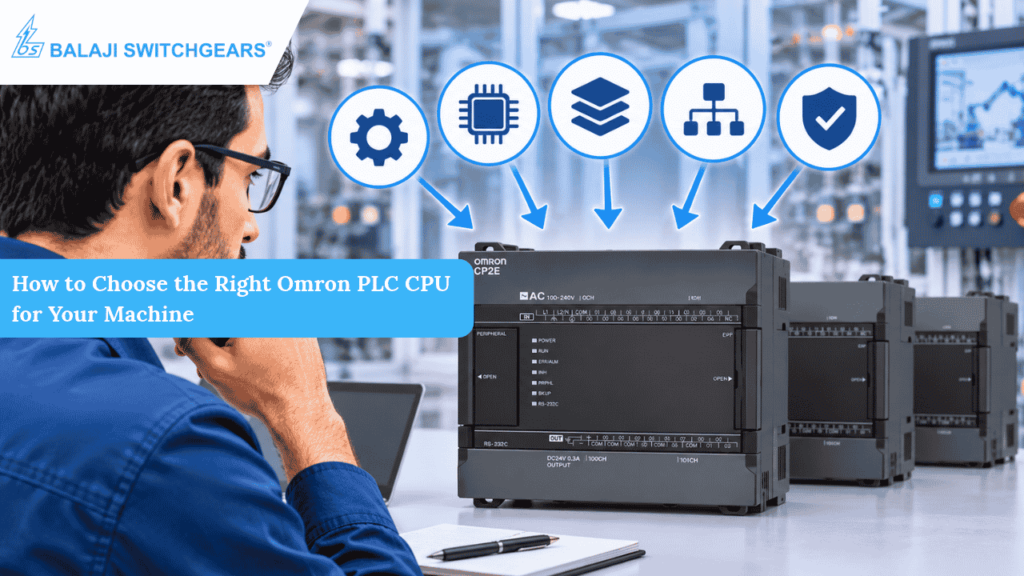
A machine may have dozens of sensors, motors, actuators and control sequences, but its automation performance depends heavily on one important component: the PLC CPU. Selecting a CPU that cannot handle the machine’s processing, communication or expansion requirements can create limitations long before the machine reaches its full operating potential.
On the other hand, choosing a controller with far more capacity than the application requires can increase project costs and make the control system unnecessarily complex.
This is why choosing the right Omron PLC CPU is not simply about comparing specifications or selecting the model with the highest processing speed. It is about understanding what the machine needs today, how it may develop in the future and how different devices will communicate within the automation system.
At Balaji Switchgears, we understand that the right automation solution begins with the right component selection. In this guide, we explain the key factors to consider when selecting an Omron PLC CPU for your machine.
What Does a PLC CPU Actually Do?
A Programmable Logic Controller (PLC) is an industrial control system that monitors machine conditions, processes input signals and executes programmed instructions to control outputs.
The CPU is the central processing unit of the PLC. It receives information from connected input devices, executes the control program and updates the outputs according to the programmed logic.
For example, consider an automated packaging machine. Sensors detect the position of a product, a PLC processes the signals, and the controller operates motors, conveyors, filling mechanisms and other connected equipment in the required sequence.
The CPU also plays an important role in communication, data handling, motion-related functions and coordination with other automation devices, depending on the selected PLC series.
Therefore, the CPU must be selected according to the complete machine application rather than just the number of connected sensors.
7 Important Factors to Consider When Choosing an Omron PLC CPU
1. Calculate the Total I/O Requirements
One of the first steps in selecting an Omron PLC CPU is identifying how many inputs and outputs the machine requires.
Inputs receive signals from devices such as:
- Proximity and photoelectric sensors
- Push buttons and selector switches
- Limit switches
- Pressure and temperature sensors
- Level detection devices
Outputs control components such as:
- Contactors and relays
- Solenoid valves
- Indicator lamps
- Motors through suitable drive interfaces
- Actuators and other machine components
Create a complete I/O list before selecting the CPU. Include the current requirements as well as any additional sensors or outputs that may be introduced later.
For smaller machines with relatively straightforward control requirements, an Omron CP2E CPU may be suitable. The CP2E range offers different built-in I/O configurations, including 14, 20, 30, 40 and 60-point models, depending on the CPU type.
For applications requiring more extensive I/O arrangements, consider whether expansion units or a different PLC family would be more appropriate.
The important point is to select a CPU that can accommodate the complete I/O requirement without creating unnecessary limitations.
2. Understand the Machine’s Processing Requirements
Not every machine performs the same type of control operation.
A basic conveyor system may require straightforward start-stop logic, sensor monitoring and sequencing. However, a complex packaging or assembly machine may involve multiple interdependent operations, faster signal processing, data calculations and precise timing.
The PLC CPU must be capable of executing the complete control program within the required operating cycle.
When evaluating processing capability, consider:
- Instruction execution speed
- Program capacity
- Number of control tasks
- Data handling requirements
- Complexity of the machine sequence
- Required response time
A faster CPU is not automatically the right choice for every application. The objective is to achieve reliable control performance under the actual operating conditions of the machine.
3. Check Communication and Connectivity Requirements
Modern industrial machines rarely operate as isolated systems. PLCs often communicate with HMIs, variable frequency drives, sensors, remote I/O devices and supervisory systems.
Before selecting an Omron PLC CPU, identify the communication protocols and physical connections required by the application.
Consider questions such as:
- Does the machine require Ethernet communication?
- Will the PLC communicate with an HMI?
- Are serial devices such as RS-232C or RS-485 instruments involved?
- Does the application require Modbus communication?
- Will multiple controllers or machines exchange data?
- Is remote monitoring or data collection required?
For example, the Omron CP2E series offers different CPU types with different communication capabilities. Its N-type network model provides built-in Ethernet connectivity, while the S-type and E-type models have different communication provisions.
For applications involving more advanced machine networking and motion requirements, an Omron NX-series controller may be worth evaluating.
Always verify the supported protocols, ports and connection limits for the exact CPU model rather than assuming that every model within a series has identical features.
4. Consider Motion Control Requirements
If the machine includes positioning, speed control or synchronised movement, motion capability becomes an important selection factor.
Applications such as:
- Packaging and labelling machines
- Pick-and-place systems
- Cutting and positioning equipment
- Automated assembly machines
- Material handling systems
may require accurate movement control and coordination between multiple axes.
For these applications, check the number of controlled axes, supported motion functions, pulse output capabilities and communication requirements of the CPU.
The Omron CP2E range includes positioning-related functions that vary according to the CPU type. For more demanding applications, the NX1P2 series offers EtherCAT-based motion control for up to eight axes, depending on the selected model.
The right choice depends on the number of axes, positioning accuracy, motion sequence and overall machine complexity.
Selecting a CPU without considering future motion requirements can lead to additional hardware changes later.
5. Evaluate Program and Data Memory
As machine automation becomes more advanced, the control program may need to handle more conditions, operating sequences, alarms, recipes and production data.
The selected CPU should have sufficient program capacity and data memory for the application.
For example, the Omron CP2E series offers different program capacities across its E, S and N types. The published specifications list 4K steps for E-type, 8K steps for S-type and 10K steps for N-type models.
The Omron NX1P2 offers a different controller architecture, with 1.5 MB of program capacity and additional memory provisions for variables.
When evaluating memory requirements, consider:
- Current control program size
- Number of machine operating modes
- Alarm and fault-handling logic
- Recipe and production data
- Communication and data exchange requirements
- Scope for future program modifications
It is better to evaluate the actual application requirements than to select a CPU based on memory capacity alone.
6. Plan for Future Expansion
A machine that starts with a limited number of sensors and control points may require additional functionality as production requirements change.
New sensors, additional stations, upgraded drives or improved monitoring capabilities can increase the PLC’s workload.
This makes expansion planning an important part of CPU selection.
Before finalising the model, check:
- Available I/O expansion options
- Maximum supported I/O capacity
- Communication expansion possibilities
- Available option boards or units
- Compatibility with the existing automation architecture
- Physical space and power requirements
CP2E models with 30, 40 or 60 built-in I/O points support up to three compatible expansion units, while 14-point and 20-point models do not support expansion units.
However, the available expansion options differ by model.
The NX1P2 supports connection of up to eight NX Units for I/O expansion.
Planning for expansion at the beginning can help avoid unnecessary controller replacement when the machine requirements increase.
7. Check Power Supply, Installation and Operating Conditions
Technical performance is only one part of selecting an industrial PLC. The CPU must also be suitable for the electrical and physical conditions inside the control panel.
Check the following before finalising the model:
Power Supply: Confirm whether the selected CPU requires an AC or DC supply. Omron CP2E models are available with different supply configurations, while NX1P2 models use a 24 VDC supply.
Panel Space: Check the CPU dimensions, mounting arrangement, wiring clearance and space required for expansion units.
Operating Temperature: Verify the permitted ambient temperature range and ensure the panel’s thermal design is suitable.
Electrical Environment: Consider grounding, electrical noise, power quality and appropriate separation of power and signal wiring.
Maintenance Access: Ensure that terminals, communication ports and expansion units remain accessible for inspection and servicing.
These factors help ensure that the selected CPU can operate reliably within the machine’s actual installation environment.
Omron CP2E vs NX1P2: Which One Should You Consider?
Two Omron PLC families worth evaluating for machine automation are the CP2E and NX1P2. They address different application requirements, so the choice should be based on machine complexity rather than brand preference alone.
Omron CP2E Series
The CP2E is a compact PLC range designed for machine control, data collection and machine-to-machine communication.
It can be considered for applications such as:
- Small and medium-sized packaging machines
- Conveyor control systems
- Basic assembly equipment
- Pump and process control
- Machines requiring straightforward sequencing and monitoring
Its different CPU types provide varying I/O, memory and communication capabilities. The N-type, for example, offers built-in Ethernet connectivity, while the S-type and E-type have different feature sets.
Omron NX1P2 Series
The NX1P2 is a compact machine automation controller designed for applications requiring more advanced control and connectivity.
It may be suitable for:
- Advanced packaging equipment
- Multi-axis positioning applications
- Automated assembly systems
- Machines requiring EtherCAT-based motion control
- Applications involving more extensive data exchange
Depending on the model, the NX1P2 supports up to eight controlled axes through EtherCAT and provides connectivity through EtherNet/IP and EtherCAT ports.
The choice between these two series should be based on the required processing performance, motion control, communication, I/O capacity and future expansion.
Common Mistakes to Avoid When Selecting a PLC CPU
Even when the correct PLC brand is selected, an unsuitable CPU can affect the overall machine design.
Some common selection mistakes include:
Choosing Only by I/O Count: Two CPUs with similar I/O capacity may have different communication, memory and positioning capabilities.
Ignoring Communication Requirements: Selecting a CPU without checking the required Ethernet or serial interfaces can create integration challenges.
Overlooking Motion Functions: A machine requiring precise positioning may need a controller with suitable motion capabilities.
Ignoring Future Expansion: Selecting a CPU with no practical room for additional I/O or functionality can limit future upgrades.
Not Checking the Exact Model Specifications: Features can differ between CPU types within the same PLC series. Always verify the exact model number and its datasheet.
Avoiding these mistakes helps create a more suitable and dependable automation system.
How Balaji Switchgears Helps with Omron PLC Selection
Selecting a PLC CPU involves more than matching a product specification with a machine requirement. It requires an understanding of the complete application, including sensors, actuators, drives, communication devices, control sequences and future operating needs.
At Balaji Switchgears, we work with OEMs, panel builders, system integrators and industrial end users to help identify suitable industrial automation products for their applications.
Our Omron automation portfolio supports machine control requirements across different industrial applications. By understanding the machine’s I/O requirements, processing needs, communication architecture and expansion plans, customers can make more informed decisions when selecting a PLC CPU.
Whether the application requires a compact controller for straightforward machine operations or a more advanced solution for motion and connectivity, selecting the right CPU is an important step towards building an efficient automation system.
Final Thoughts
Choosing the right Omron PLC CPU is an important step in building a reliable and efficient machine automation system. Factors such as I/O requirements, processing capacity, communication, motion control and future expansion should all be evaluated before finalising the controller.
As an authorised Omron distributor, Balaji Switchgears supports OEMs, panel builders and industrial customers with Omron PLC solutions and technical product selection guidance. Whether you are developing a new machine, upgrading an existing control system or evaluating a suitable PLC for your application, our team can help you identify the right Omron CPU based on your requirements.
Looking for the right Omron PLC for your machine? Connect with our automation team for product selection assistance.